

What Does Collate Mean When Printing? A Complete Guide
If you have ever printed multiple copies of a document, you may have noticed a Collate option in your printer settings. It looks like a small setting, but it makes a difference when printing reports, manuals, booklets, catalogs and instruction sheets.
So, what does collate mean when printing?
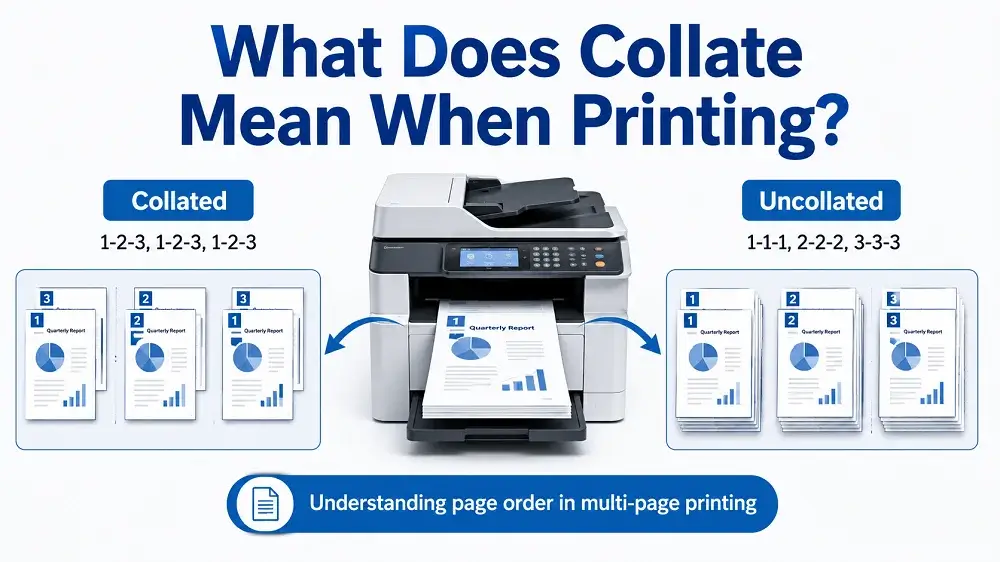
Collate means arranging printed pages in the correct order, so each copy comes out as a complete set. For example, if you print three copies of a five-page document with collate turned on, your pages will come out like this:
Collated: 1, 2, 3, 4, 5 → 1, 2, 3, 4, 5 → 1, 2, 3, 4, 5
Uncollated: 1, 1, 1 → 2, 2, 2 → 3, 3, 3 → 4, 4, 4 → 5, 5, 5
At ZEE Packaging, we also deal with printed materials used with custom packaging, including product inserts, instruction sheets, promotional leaflets and other printed items. Understanding collation can help you organize these materials correctly.
What Does Collated Printing Mean?
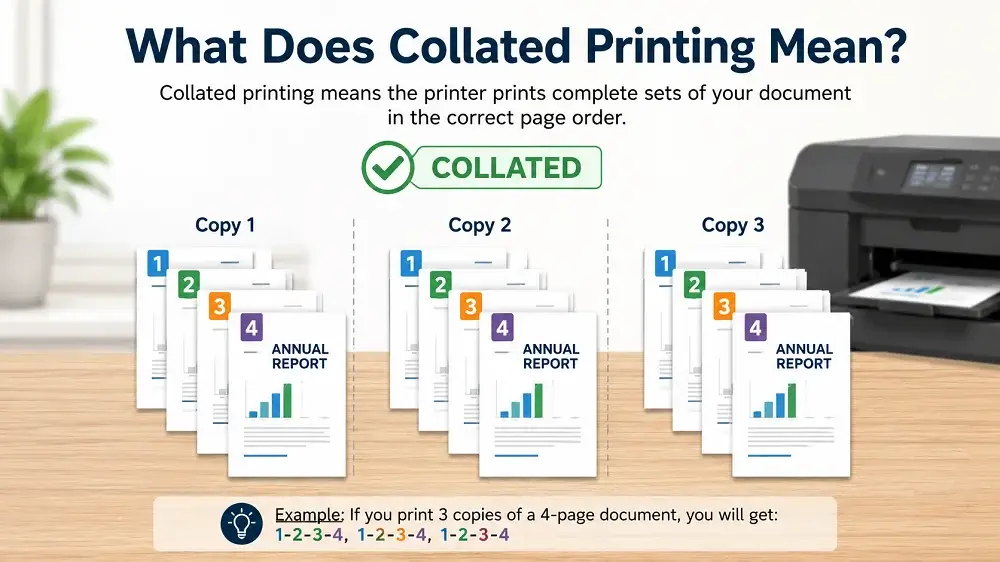
Collated printing means your printer completes one full set of pages before printing the next copy.
For example, if you have a four-page product instruction guide and need 100 copies, the printer will produce each copy in the correct order.
- Copy 1: Pages 1, 2, 3, 4
- Copy 2: Pages 1, 2, 3, 4
- Copy 3: Pages 1, 2, 3, 4
This continues until all 100 sets are printed. Each set is ready for stapling, binding, folding or adding inside product packaging without sorting the pages manually.
What Does Uncollated Mean When Printing?
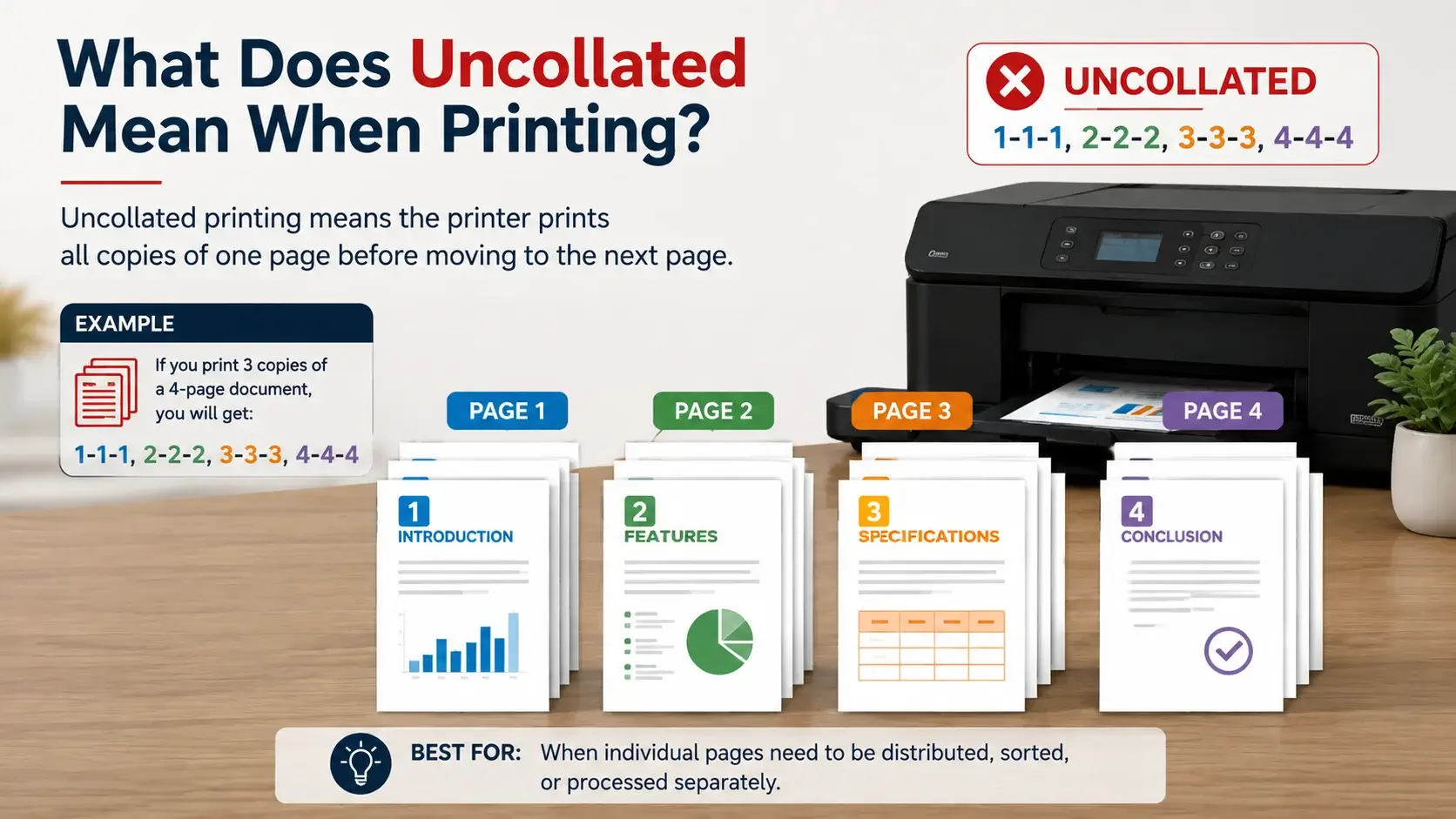
Uncollated printing means the printer produces all copies of one page before moving to the next page.
For example, if you print three copies of a four-page document, the pages will come out like this:
- Page 1: 1, 1, 1
- Page 2: 2, 2, 2
- Page 3: 3, 3, 3
- Page 4: 4, 4, 4
Instead of complete documents, you get separate stacks of matching pages. You will need to arrange them yourself if you want complete sets.
Collated vs Uncollated Printing
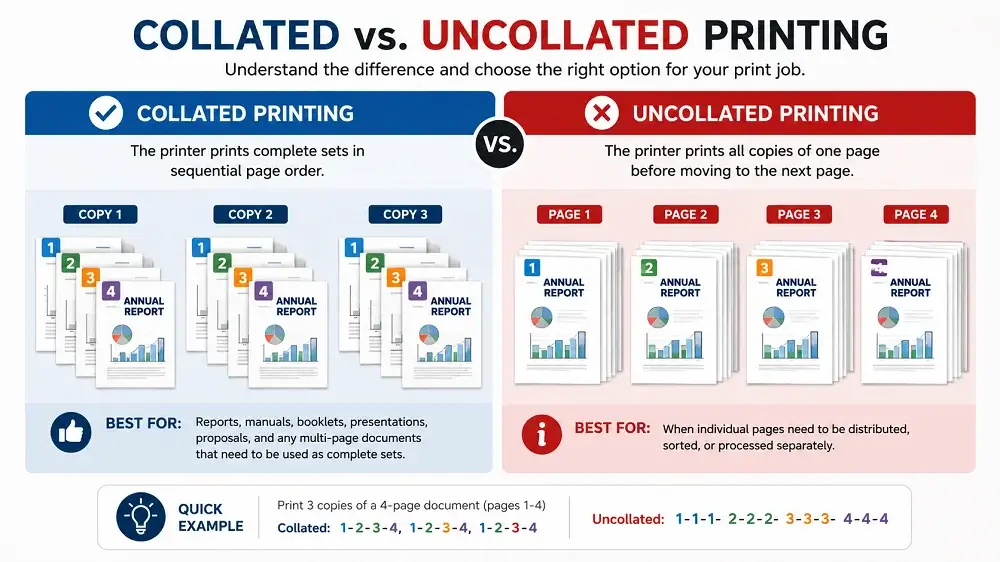
Both printing options have their own uses. Here is a simple comparison to help you understand the difference.
Feature | Collated Printing | Uncollated Printing |
|---|---|---|
Page Order | Complete sets | Same pages grouped |
Example | 1234, 1234, 1234 | 111, 222, 333, 444 |
Best For | Manuals, reports, booklets | Flyers, forms, single sheets |
Manual Sorting | Usually not needed | May be needed |
Binding | Ready for binding | Sorting required first |
When Should You Use Collated Printing?
Collated printing is useful when you need multiple copies of a document with pages in the correct order.
You can choose this option for:
- Product instruction manuals
- Printed catalogs and brochures
- Training guides and booklets
- Warranty and installation documents
- Multi-page reports and presentations
- Product information booklets
It saves you time because you dont need to organize every document after printing.
When Should You Print Uncollated?
Uncollated printing is a good option when you want identical pages printed together instead of complete sets.
You can choose uncollated printing when:
- Individual pages need to be distributed separately
- Different pages go to different departments
- Each page needs a separate finishing process
- You are printing forms or individual sheets
If you are printing a multi-page manual, collated printing is usually better. But if you need separate stacks of the same page, uncollated can be more useful.
Why Is Collating Important in Printing?
Collating helps keep your printed documents organized and reduces the time needed for manual sorting.
Here are few benefits:
- Saves Time: You dont need to arrange hundreds of printed pages yourself.
- Reduces Mistakes: Helps prevent missing, duplicate or incorrectly ordered pages.
- Makes Binding Easier: Printed sets are already arranged for stapling, folding or binding.
- Better Organization: Each document stays in the correct sequence.
For large printing orders, proper collation can make the finishing and packing process much easier.
How Does a Printer Collate Pages?
Most modern office and digital printers have a built-in collate option. When you select it, the printer automatically arranges the pages in the correct order.
For example, if you print 25 copies of an eight-page document, the printer produces pages 1 to 8 for each copy before starting the next one.
Some printers may show this option as Collate, Sort or Group.
- Sort: Usually means collated printing (123, 123, 123)
- Group: Usually means uncollated printing (111, 222, 333)
The names can be different depending on your printer or software.
How to Select Collated Printing
You can normally turn on collated printing with few simple steps:
- Open your document.
- Go to File and select Print.
- Choose your printer.
- Enter the number of copies.
- Find the Collate option.
- Select Collated.
- Check your settings and click Print.
Some printers may have slightly different settings, but the process is mostly the same.
Collation in Commercial Printing
In commercial printing, collation is also used when producing books, manuals, catalogs and other multi-page printed materials.
Large printing jobs may include folding, gathering, cutting, binding and other finishing processes. The pages must be arranged correctly before the final document is assembled.
For example, a printed product manual may need several folded sections placed in the correct order before binding.
Collation in Packaging and Product Printing
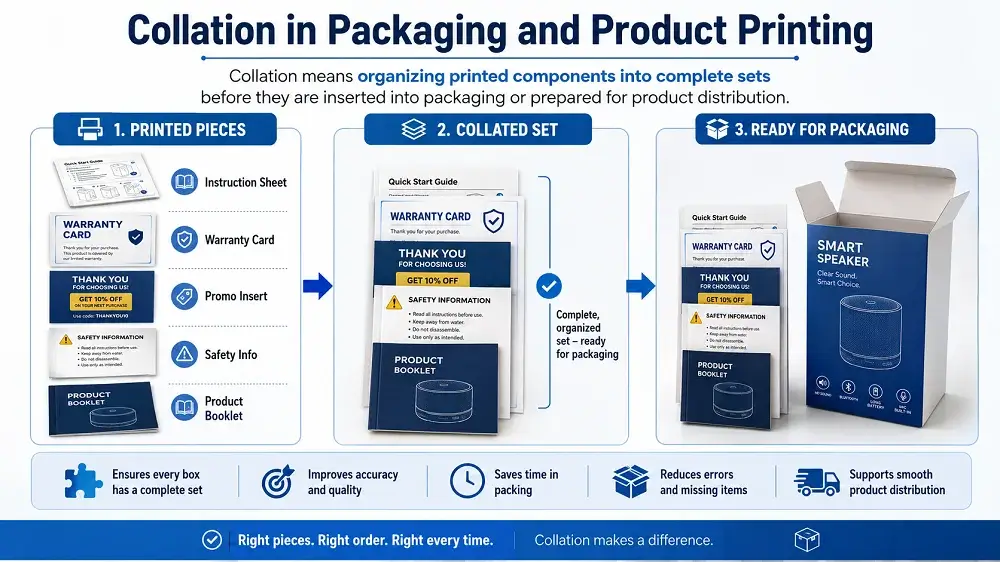
Collation is not normally needed for a single folding carton or shipping box. However, it can be useful when your packaging includes multiple printed materials.
At ZEE Packaging, you can discuss different printed packaging components depending on your product needs, such as:
- Product instruction leaflets
- Warranty and safety information
- Promotional inserts
- Product information booklets
- Coupon sheets
- Assembly instructions
For example, if your product packaging needs one instruction sheet, one warranty card and one promotional insert, these items may need to be organized into sets before packing.
This process may also be called kitting or inserting, depending on how the printed materials are assembled.
Collation, Gathering and Imposition: What Is the Difference?
These terms are commonly used in commercial printing, but they do not mean the same thing.
Term | Meaning |
|---|---|
Collation | Arranging printed pages in correct order |
Gathering | Bringing printed sections together |
Imposition | Arranging pages on a printing sheet |
Inserting | Placing printed materials inside packaging |
Kitting | Combining different items into one set |
Knowing the difference can help you explain your printing and packaging requirements more clearly.
Common Collated Printing Mistakes
Here are some common mistakes you should avoid:
- Selecting Uncollated by Mistake: This can leave you with hundreds of pages that need sorting.
- Confusing Collate With Double-Sided Printing: Collate controls page order, while double-sided printing controls printing on both sides.
- Not Checking a Sample: Before printing large quantities, check one complete set for page order, print quality and missing pages.
Is Collated Printing More Expensive?
For normal office printing, selecting Collate usually does not increase the printing cost because the number of pages remains the same.
However, commercial printing costs may depend on the quantity, paper material, number of pages and finishing requirements.
If your printing job includes multiple inserts, binding, gathering or special assembly, these extra processes may increase the final cost.
Final Thoughts
Collated printing means arranging pages into complete sets, while uncollated printing groups identical pages together.
If you need ready-to-use manuals, booklets or other multi-page documents, collated printing is usually the better option. For separate printed sheets, uncollated printing may work better.
If your custom packaging needs instruction sheets, promotional inserts or other printed components, you can contact ZEE Packaging to discuss your packaging requirements.
People Asked Questions
What does collate mean when printing?
Collate means printing pages in the correct order for each copy. For example, three copies of a four-page document will print as 1234, 1234, 1234.
What does uncollated mean when printing?
Uncollated printing groups the same pages together. For example, three copies of a four-page document will print as 111, 222, 333, 444.
Does collate mean staple?
No, collating only arranges the pages in order. Stapling is a separate process that joins the printed pages together.
Is collated printing double-sided?
Not always. Collating controls page order, while double-sided printing allows you to print on both sides of the sheet. You can choose both options if needed.
Why would anyone print uncollated?
Uncollated printing is useful when you need separate stacks of identical pages, such as forms, flyers or printed sheets for different departments.
Can packaging inserts be collated?
Yes, multi-page instruction sheets and other printed materials can be collated. If your packaging includes different inserts, they can also be organized into sets through gathering or kitting.
What happens if I forget to select Collate?
Your printer may produce separate stacks of identical pages instead of complete documents. You will need to arrange them manually before using or binding them.